
Too often, HR departments find themselves getting bogged down in unnecessary manual processes.
The best HR software for small businesses can help solve this issue by creating a more intuitive
system for functions like time and attendance, payroll, applicant tracking, and onboarding.
There’s no shortage of options out there on the market today, but which is the best software for
HR at your company? Here, we’ll look at some of the most popular programs and explain how their
principal features can make your business more efficient.
1. Why Should Small Businesses Use HR Software?
Especially in smaller businesses where personnel may be more limited,
HR software
ensures you don’t need to hire an army of people to manage essential but repetitive tasks. Most
of the options available today help you create custom automated processes, which increase
productivity, reduce errors and help businesses check they are fully compliant with local laws.
Additionally, many platforms have built-in analytics, so you can gain insight into your
workforce and create greater efficiencies. The result can be a better bottom line for the
company and a more positive experience for staff.
2. Overview of the 25 Best HR Software for Small Businesses
src="https://www.sorryonmute.com/wp-content/uploads/2023/08/Overview-of-the-25-Best-HR-Software-for-Small-Businesses.png"
alt="Overview Img" width="1200" height="628" />
 height="75" />
 height="75" />
 width="300" height="75" />
 width="300" height="75" />
 height="75" />
 height="75" />
 width="300" height="75" />
 width="300" height="75" />
 width="300" height="75" />
 width="300" height="75" />
 height="75" />
 height="75" />
 height="75" />
 height="75" />
15
 alt="ApplicantStack" width="300" height="75" />
Best HR software for combined hiring and onboarding
Visit Website
 width="300" height="75" />
 width="300" height="75" />
 width="300" height="75" />
 height="75" />
 width="300" height="75" />
 height="75" />
 height="75" />
 width="300" height="75" />
 width="300" height="75" />
 height="75" />
Selection Criteria for Best HR Software for Small Businesses
1
User interface
User interface covers the design of an IT solution. This should be intuitive and easily
navigable.
2
Usability
Usability refers to the ease with which staff can utilize a piece of HR software. In most
cases, you want a balance between simplicity and functionality.
3
Integrations with other apps
The best HR software for small businesses will integrate with other apps in your
organization, such as
HRIS,
ATS
or
LMS
to provide enhanced functionality.
4
Value for money
Good HR software delivers a high ROI and so you need to evaluate its cost against benefits
like
productivity
and engagement when considering the cost factor.
Employee Onboarding Software Features
1
Company details
One of the most basic features of HR software is to provide details about your company, such
as code of conduct, policies and organizational structure.
2
Employee information
Another basic function is to store the personal details of your staff. There should be
sufficient built-in security to protect this stored data.
3
Important documents and contracts
Similar to employee information, HR software should either store directly or integrate with
systems that can manage key documents, such as contracts or benefits information.
4
Automated payroll system
Another system that is a key feature of HR software is payroll. A number of companies
specialize in this particular aspect of HR because it’s simple and highly beneficial to
automate for enhanced efficiency. It also ensures you a compliant with any tax-related laws.
5
Employee feedback
Feedback helps companies improve employee engagement and ensures that the business is
proactive in terms of ensuring staff satisfaction.
6
Applicant Tracking Software (ATS)
Applicant tracking software (ATS) is used to monitor job applications. Having a pathway
between the ATS and the rest of your HR can help streamline the process of bringing on new
staff.
7
Onboarding and offboarding workflows
Most HR software will include greater or lesser degrees of automation when it comes to
onboarding
and offboarding, speeding up the process and freeing up your HR team
8
Learning and Development
Applicant tracking software (ATS) is used to monitor job applications. Having a pathway
between the ATS and the rest of your HR can help streamline the process of bringing on new
staff.
9
Performance feedback
More advanced HR tools will include functionality for staff to give and receive 180 or 360
degree feedback. This allows them to self-reflect on their perceived performance, and create
action plans for performance improvement throughout the year.
25 Best HR Software for Small Businesses
Deel – Best HR software for free core functionality
Best For: Small to medium-sized businesses
Kicking off this HR software list,
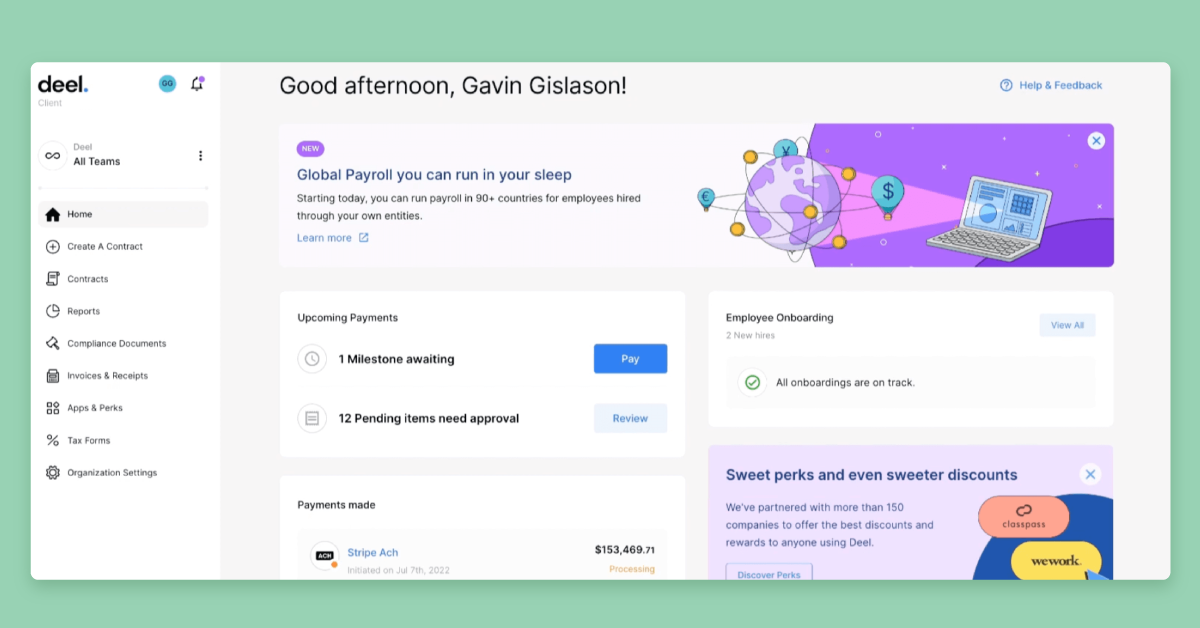
Deel’s
specialty is global hiring, payroll, and compliance. This is available throughout more than 90
countries around the world, from Germany to Malaysia.
What makes Deel special?
Deel is a market leader in payroll automation for both locally based an internationally based
employees. They ensure that your payroll processes are compliant across world regions. In
addition to acting as an employee of record (EOR) for your business, Deel offers automated
document collection, equipment management, and checklists for onboarding workflows. This can
be integrated with HRIS like BambooHR as well as team communications tools like Slack.
Key Features:
- Payroll automation
- Compliance management
- Expenses, time off and bonuses
- Organisational charts
- Contract management
- Global payouts
Pricing:
Deel offers free HR software with basic functionality for companies with fewer than 200
people. Prices for the employee hiring and payroll portal start from $599.
Pros
- Easy-to-use platform
- Manage expenses, time off and bonuses of employees
- Organisation chart and people directory
- Automated payments
- Dedicated customer support
Cons
- Limited customer support
- May have issues with certain international currencies
factoHR – Best HR software for mobile-first workforce management
 height="628" />
Best For: Small to medium-sized businesses
factoHR
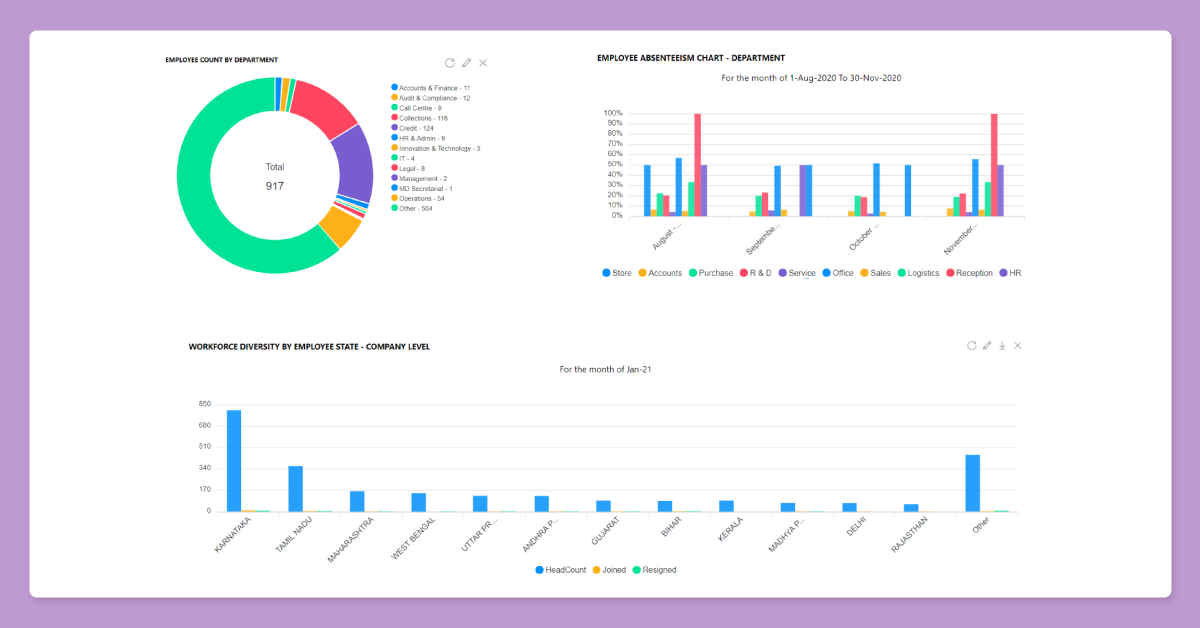
is a cloud-based Human Capital Management (HCM) platform built to manage the complete
hire-to-retire lifecycle. It streamlines core HR operations, from talent acquisition to
payroll processing.
What makes factoHR special?
factoHR stands out with its next-generation mobile app designed to give employees a seamless,
on-the-go experience. Staff can mark attendance using AI-powered facial recognition and GPS
geo-fencing, apply for leave, and interact with an intelligent chatbot called “Fia” right from
their smartphones. Beyond its mobile capabilities, the platform features a highly automated
payroll engine that handles complex statutory compliance, arrears, and salary revisions with
precision. It serves as a unified ecosystem that integrates smoothly with popular third-party
applications like QuickBooks, SAP, and Microsoft Teams, greatly reducing manual data entry for
HR teams.
Key Features:
- Payroll processing and compliance
- Geo-fencing and biometric attendance tracking
- Mobile employee self-service portal
- Performance management (OKRs)
- Automated onboarding workflows
- Expense and claims management
Pricing:
Available based on your business requirements
Pros
- Robust mobile app with AI-driven attendance tracking
- Comprehensive hire-to-retire functionality
- Accurate, highly compliant payroll automation
Cons
- Initial setup and advanced features have a learning curve
- Customizing complex reports can feel somewhat rigid
- User interface may feel basic compared to newer competitors
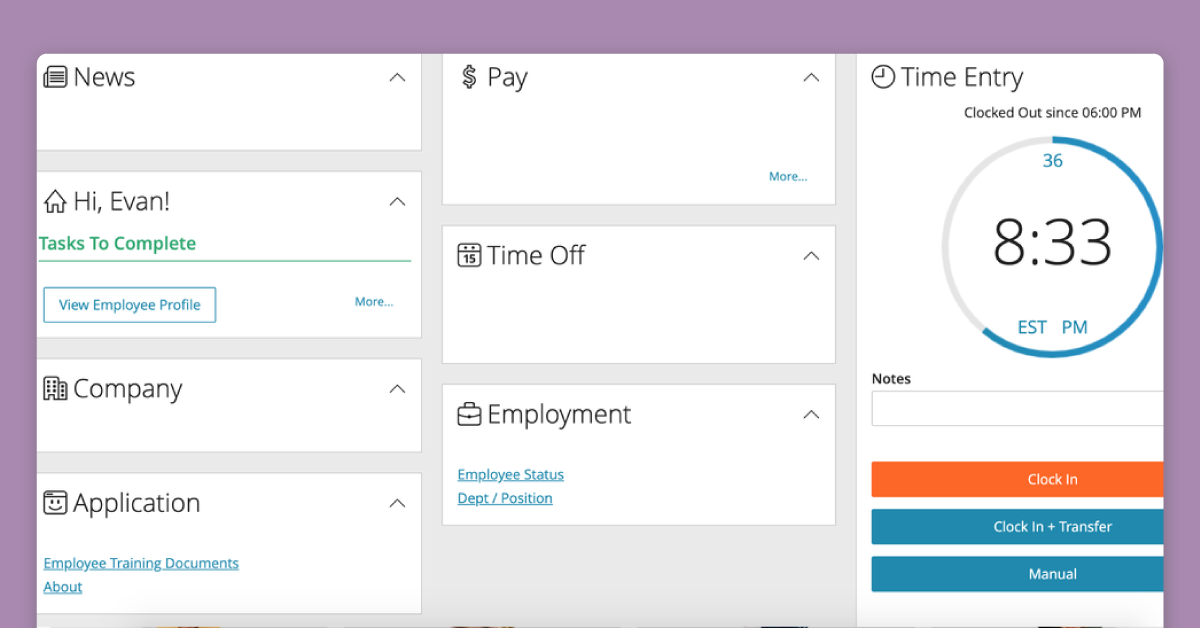
Paylocity – Best HR software for all-in-one payroll solution
 height="629" />
Best For: Medium to large-sized businesses
As its name suggests,
Paylocity
is primarily a payroll solution. Since starting out, it has evolved to include solutions for
workforce management, benefits administration as well as talent management (including
onboarding). A learning management system is built into the platform, as is a feedback
function.
What makes Paylocity special?
Even if you don’t want to use Paylocity for all your core HR needs, there are hundreds of
integrations available with other business software, such as QuickBooks, Kallidus, and
Expensify. The solution is designed to work for mobile as well as desktop devices.
Key Features:
- Payroll processing
- Benefits administration
- Time and attendance tracking
- Performance management
- HR management (compliance and self-service)
Pricing:
Prices are available upon request.
Pros
- Comprehensive payroll and HR tools
- Includes talent management and employee experience features
- Mobile app available
- Customizable reporting
Cons
- Large time investment in setup
- Reporting features may be confusing to users
- Limited third-party integrations
- Higher pricing than some competitors
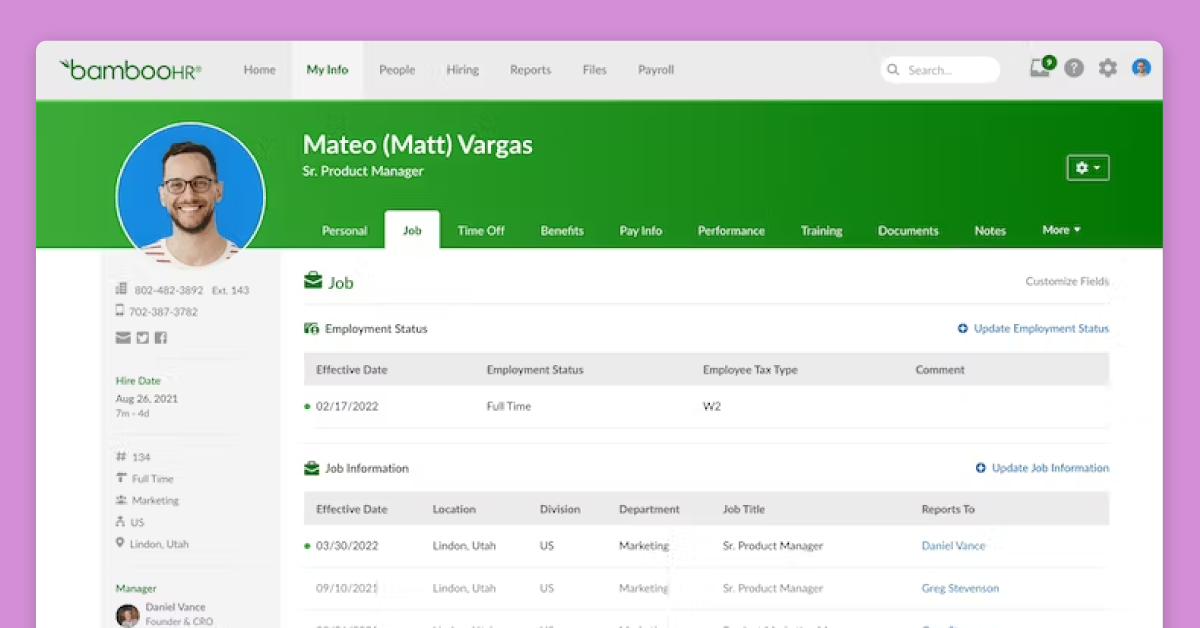
BambooHR – Best HR software for an all-in-one solution
 height="629" />
Best For: Small to medium-sized businesses
BambooHR is one of
the most commonly used HR software for small and medium businesses looking to cover all
essential aspects of human resources.
What makes BambooHR special?
Employee experience, payroll, time and benefits, hiring and onboarding as well as reporting
tools are all united in one user-friendly platform. There’s also a marketplace that includes
many different integrations, allowing you to unify onboarding with applicant tracking systems
like JazzHR, payroll software like CloudPay, and learning management platforms like TalentLMS.
Key Features:
- Manage employee data
- Track employee experience
- Applicant tracking
- Onboarding
- Electronic signatures
- Time and attendance tracking
- Performance management
- HR reporting
Pricing:
Prices are available upon request.
Pros
- Simple and intuitive interface
- Comprehensive set of features
- Customizable workflows
- Excellent onboarding features
Cons
- Limited reporting capabilities
- Lack of benefits management
- No option for custom branding
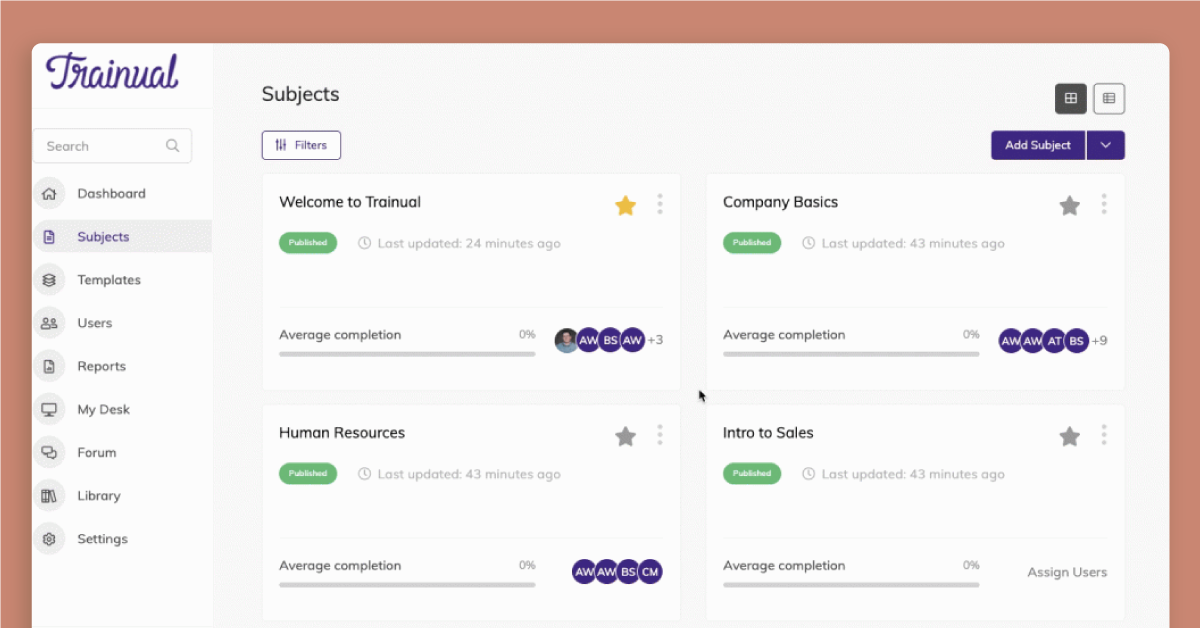
Trainual – Best HR software for training manuals
Ideal for businesses of all sizes. Clients include Lyft and GE Digital.
 height="629" />
Best For: Small to medium-sized businesses
Trainual was programmed
specifically to help with instructing new hires in standard operating procedures and company
policies.
What makes Trainual special?
The interface makes it incredibly easy to build a comprehensive repository of information that
can then be segmented according to department and role. Training manuals compiled by Trainual
are easily searchable, with embedded videos to make the entire explanation crystal clear.
Plus, the platform comes with numerous free onboarding templates to help you get started.
Key Features:
- Training documentation
- Policy information
- People directory
- Onboarding automation
- Customizable templates
- Task management
Pricing:
Prices start from $99 per month, including 10 seats (additional seats $3 per month).
Pros
- Great platform for setting up new staff for success
- Clear documentation of company processes
- User-friendly interface
- Customizable training modules
- Built-in analytics
Cons
- Limited range of HR features – mainly focussed on L&D
- Limited integrations with other platforms
- Can be expensive for larger teams
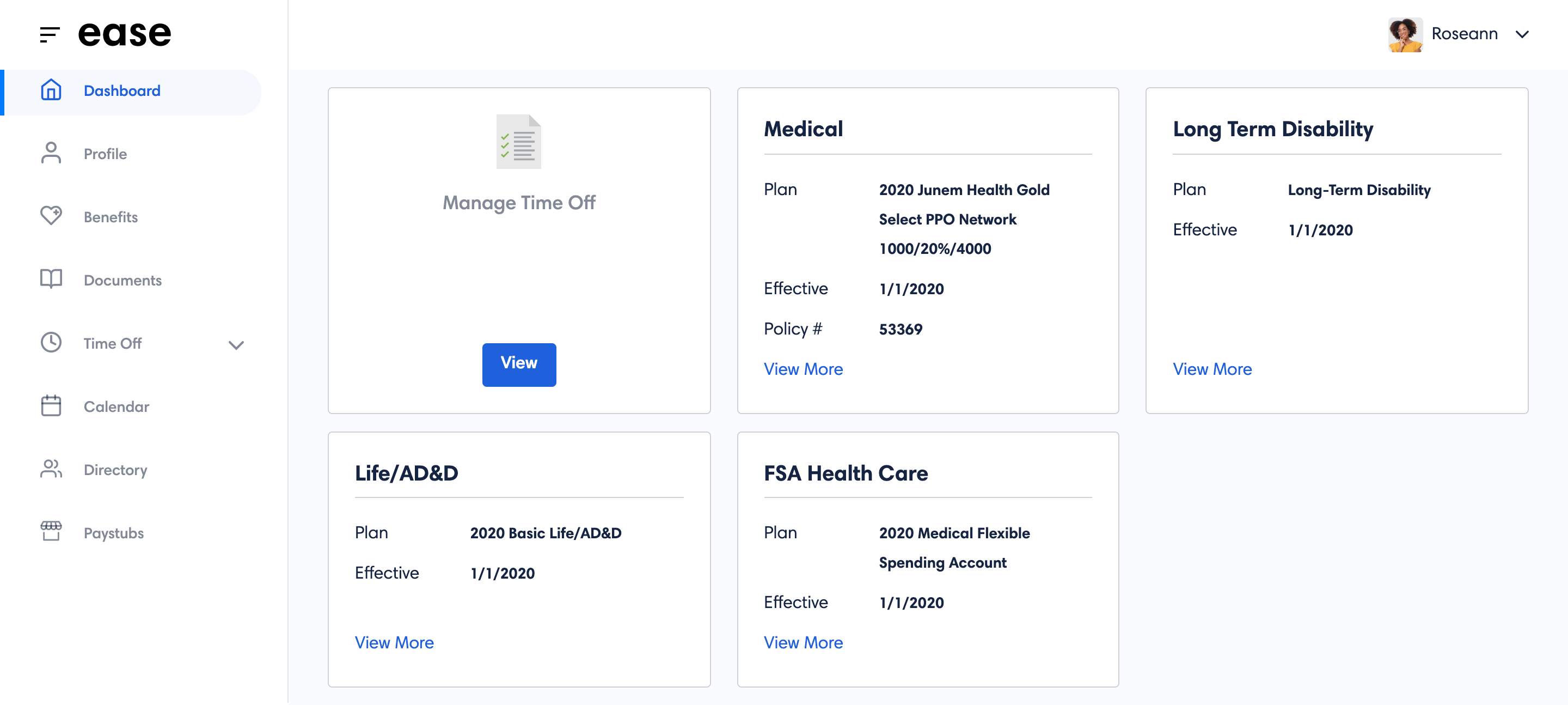
Ease – Best HR Software for Benefits Management
 alt="Ease" width="1200" height="629" />
Best For: Small to medium-sized businesses
Principally known as a benefits brokerage software for small businesses,
Ease
helps businesses find the right benefits package for their team and then manage those benefits
throughout the employee lifecycle.
What makes Ease special?
Ease has a range of HR features including paid time off, leave requests, and a people
directory with an organisation chart. It’s also useful from an onboarding perspective. You can
gather all necessary tax information from staff before their first day at work, as well as
disseminate employee handbooks and compliance agreements. You can then check these documents
have been properly perused using the e-signature function.
Key Features:
- Benefits administration
- Onboarding
- Time and attendance tracking
- Paid time off and leave management
- HR management
Pricing:
Prices start from $530 per month, which covers up to 2,000 employees.
Pros
- Comprehensive for benefits management
- Easy-to-use interface
- Streamlined onboarding process
Cons
- Limited HR features compared to some competitors
- May not be suitable for larger companies
- Integrations are a paid add-on feature
Hireology – Best HR software for talent acquisition
 height="629" />
Best For: Small to medium-sized businesses
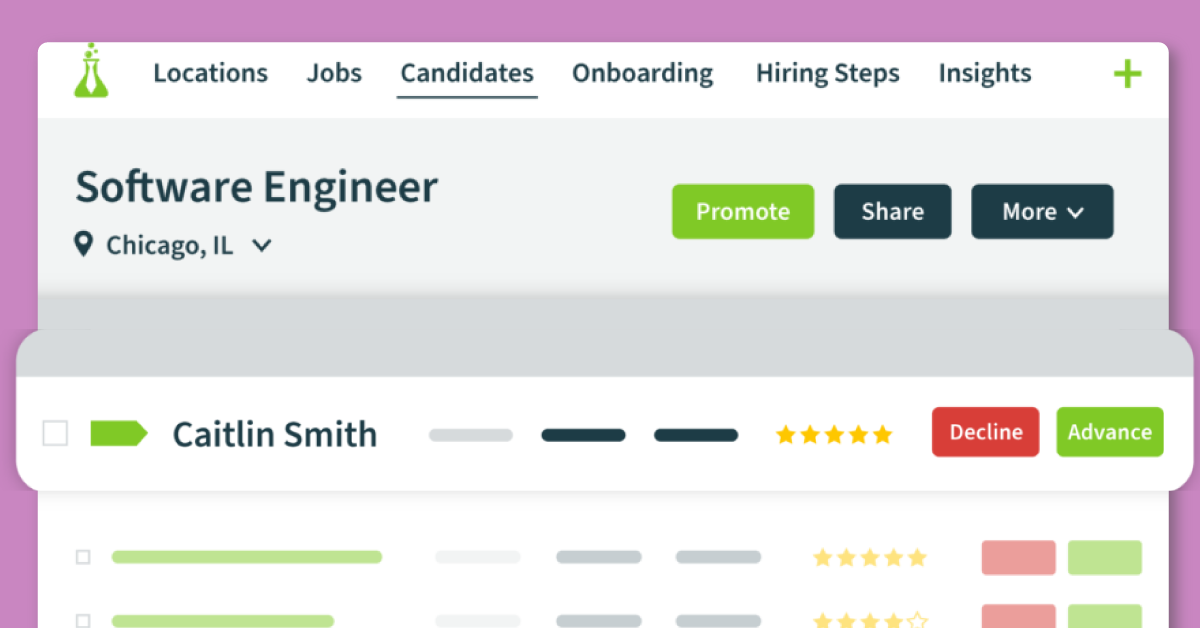
Hireology’s solution
covers every aspect of the hiring process, from attracting the right staff to managing the
onboarding process. Hireology also includes other HR platform features including payroll,
scheduling and compliance.
What makes Hireology special?
Some handy features include job posting and sharing, pre-screening surveys, background checks,
and automated onboarding. Have important compliance documents signed and stored before new
hires even start? This and other sensitive personal information can all be securely stored
digitally on the platform. Use Hireology’s own payroll system or integrate with external
software like Sage and Gusto.
Key Features:
- Applicant tracking
- Onboarding
- Background checks
- Skills testing
- HR management
- Payroll processing.
Pricing:
Prices are available upon request.
Pros
- Comprehensive hiring platform
- Easy-to-use interface
- Customizable job descriptions
Cons
- Limited integrations with other HR platforms
- Focussed more on new hires and less on day-to-day HR processe
- May not be suitable for larger companies
- Lack of transparency in pricing
Freshteam – Best HR software for higher recruitment volume companies
 height="629" />
Best For: Small to medium-sized businesses
Created by software house Freshworks,
Freshteam
is an HR solution that focuses on a few key use cases.
What makes Freshteam special?
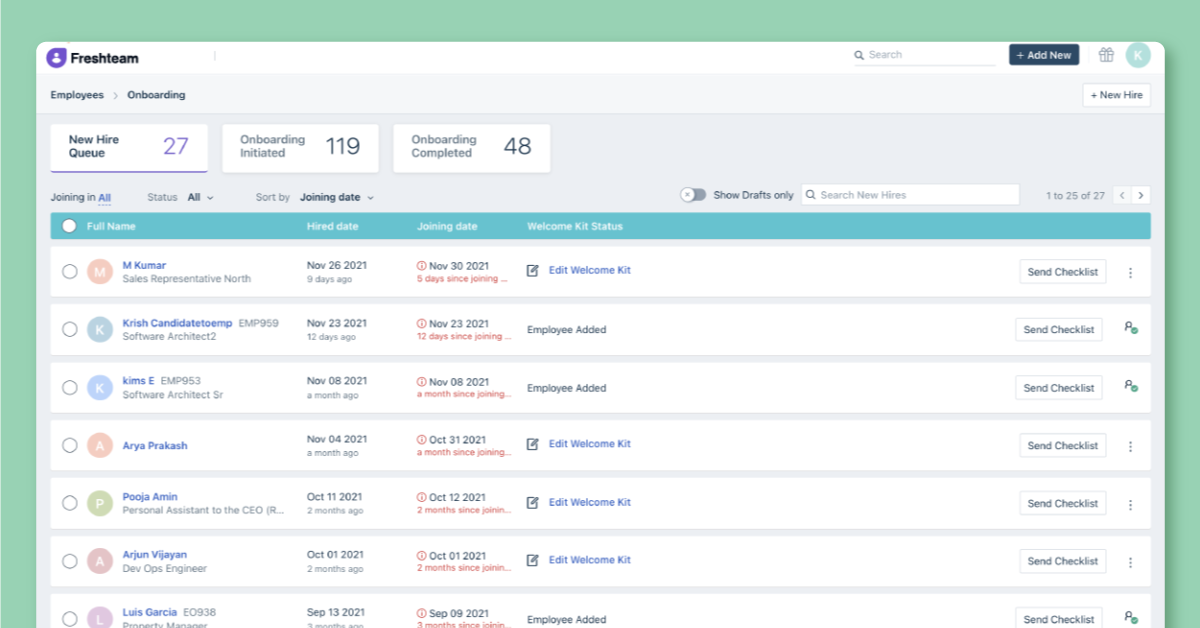
Hiring, onboarding, and holiday management are the three main areas of functionality. The
clean interface allows you to track applicants through the hiring funnel, gather and store
data in a secure data storage facility, and prep and send onboarding checklists. Freshteam
also includes self-service features for employees to manage leave, and includes a reporting
system to manage key metrics.
Key Features:
- Applicant tracking
- Onboarding
- Custom workflows
- Interview scheduling
- Leave management
Pricing:
Freshteam is a free HR system for small businesses of up to 50 employees, but to access the
more advanced features you’ll need to spend $59 for the platform per month, plus an additional
$1 per employee per month.
Pros
- Customizable hiring workflows
- Automated candidate tracking
- Employee self-service features
- Mobile app available
Cons
- Limited reporting capabilities
- Limited integrations with other HR platforms
- Limited features outside of the recruitment context
HiBob HRIS – Best HR software for automated workflows
 height="629" />
Best For: Small to medium-sized businesses
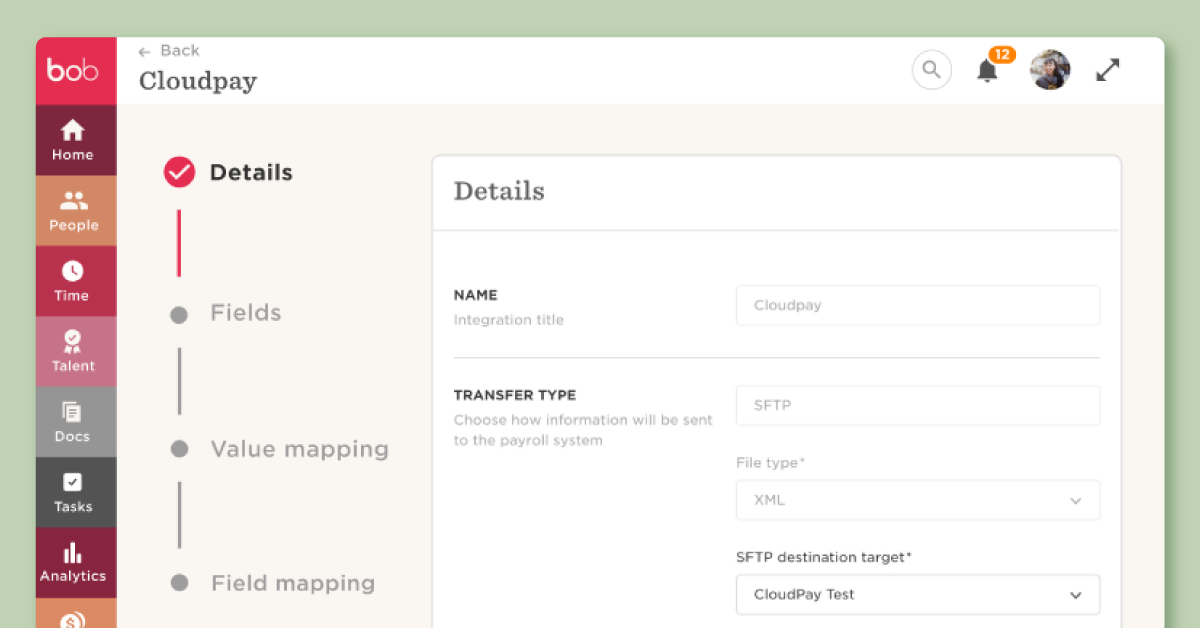
The HiBob
human resources information system has modules for core HR, payroll, onboarding, time and
attendance, and performance management. In each of these areas, you can create tailored
workflows that lead to greater efficiencies.
What makes HiBob HRIS special?
It allows businesses to manage their HR processes in a single platform, automating workflows
and providing insights through data analytics. HiBob HRIS also offers integrations with
various third-party applications, enabling businesses to customize their HR processes based on
their needs. For example, HiBob’s onboarding platform helps you make different welcome packs,
including an introductory video and an organization chart, based on office functions. There’s
also a robust survey function that you can automate for
Key Features:
- Core HR documentation and reporting
- Onboarding
- Performance management
- Time and attendance tracking
- Compensation management
- Benefits administration
- Employee engagement
Pricing:
Prices are available upon request.
Pros
- Comprehensive set of HR management tools
- Includes compensation management to guide pay conversations
- Customizable workflows
- Easy-to-use interface
Cons
- Lack of pricing transparency
- Limited integrations with other platforms
Personio – Best HR software for centralized data
 height="629" />
Best For: Small to medium-sized businesses
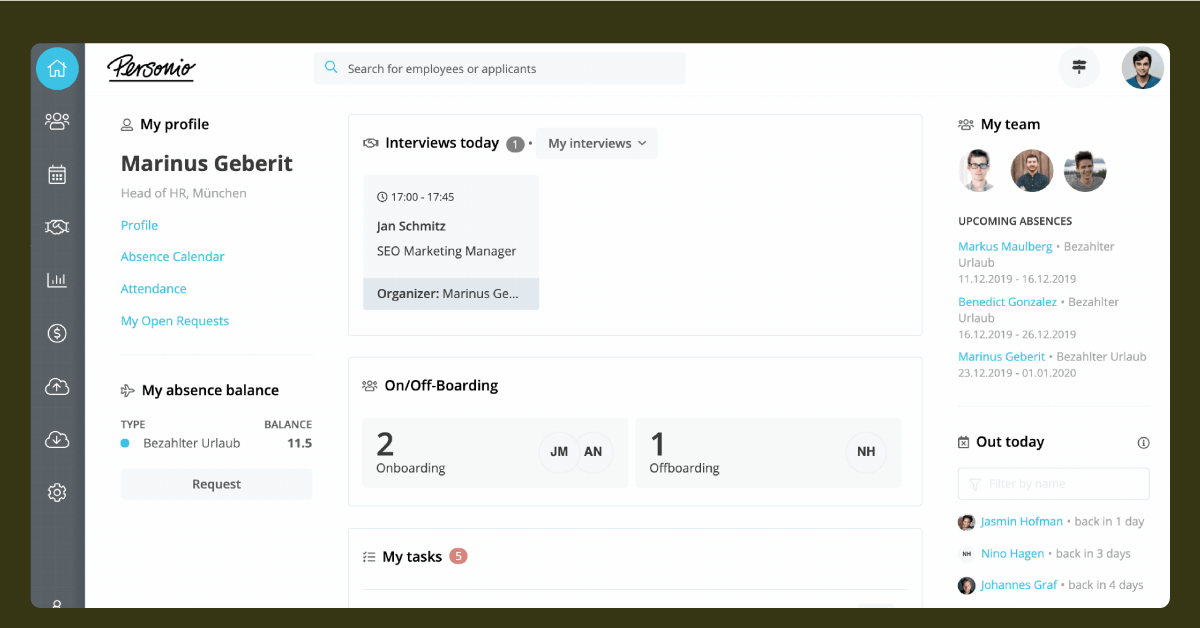
Personio’s collection
of HR and talent management products are presented in a clean interface that’s designed for
SMBs.
What makes Personio special?
A broad range of services is on offer, including applicant sourcing and tracking, HR helpdesk,
onboarding, and payroll. Perhaps the strongest feature, however, is the digital employee
filing system, which collates all data in one place. Integrations include collaboration tools
like Slack and performance management software like Leapsome, among many others.
Key Features:
- Applicant tracking
- Onboarding
- HR management
- Performance management
- Time tracking
- Absence management
- Payroll
Pricing:
Prices are available upon request.
Pros
- Comprehensive HR management tools
- Robust set of talent acquisition tools
- Built-in analytics
Cons
- Lack of pricing transparency
- Lacks culture and engagement features
- Limited third-party integrations
Paycom – Best HR software for transparency with employees
 height="629" />
Best For: Medium to large-sized businesses
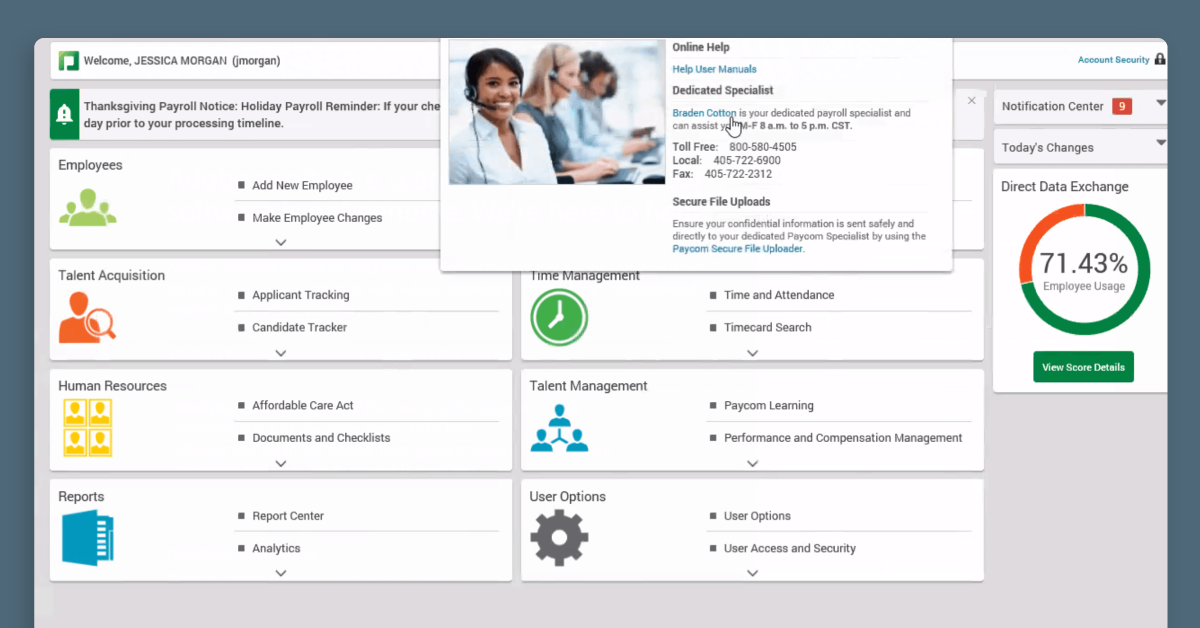
Another payroll specialist with expanded HR functions,
Paycom’s
solution has been designed to function just as well on mobile as on desktop.
What makes Paycom special?
This is one of the best HR software for small businesses that don’t want to spend time looking
around for lots of specialized solutions. Paycom offers a one-stop shop, from ATS and payroll,
to talent acquisition, survey sending and an LMS with pre-built courses. For pay, one unique
feature is that it is employee-driven. Employees verify and approve the accuracy of their pay
details.
Key Features:
- Applicant tracking
- Onboarding
- Payroll processing
- Benefits administration
- Performance management
- Time and attendance tracking
Pricing:
Prices are available upon request.
Pros
- Comprehensive payroll and HR management tools
- Transparent platform for employees
- Mobile app available
- Customizable workflows
Cons
- Lack of transparency in pricing
- Limited customer support
Whale – Best HR software for custom learning journeys
 height="629" />
Best For: Small to medium-sized businesses
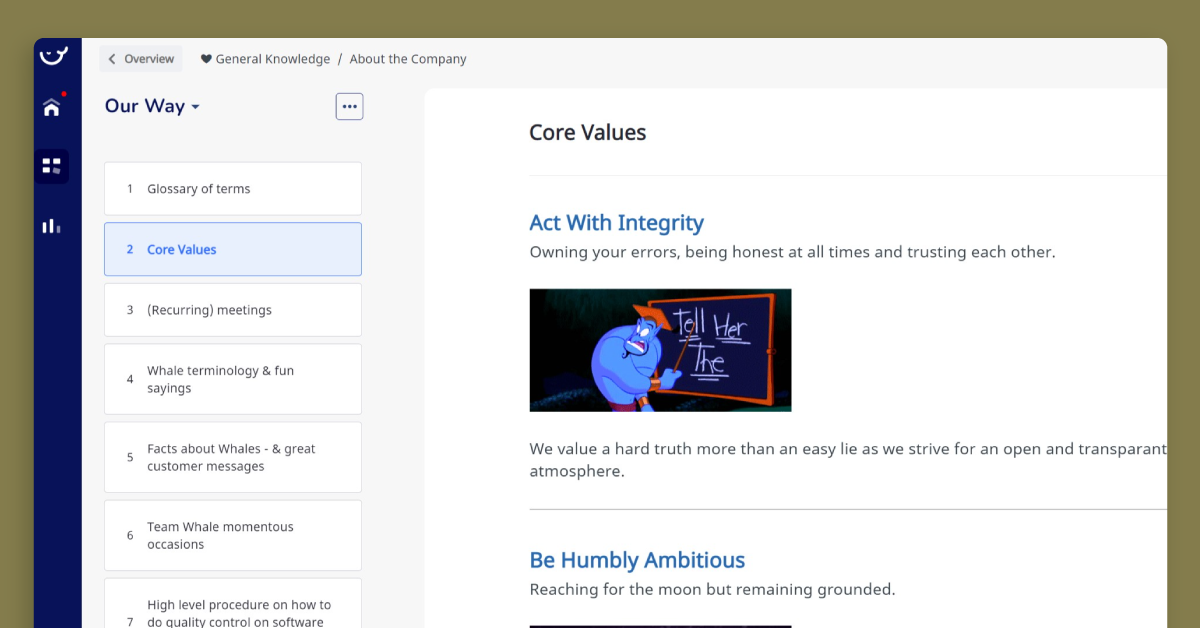
Whale is an onboarding
specialist that helps HR teams build their custom training journeys.
What makes Whale special?
You can create your own employee handbooks and tech stack guides from scratch or use existing
templates. Once you have built your materials, you can then incorporate them into learning
flows. Knowledge absorption can further be tested using the quiz function.
Key Features:
- Document and SOP creator
- Training flows
- Searchable knowledge centre
- Quizzes
- Analytics
Pricing:
Prices start from $5 per user per month for basic functionality.
Pros
- Customizable learning workflows
- AI assisted policy/procedure developer
- Quizzes to test comprehension
- Mobile app available
Cons
- Limited HR features compared to some competitors
- May not be suitable for larger companies
- Relatively expensive given its feature set
APS – Best HR software for automated data input
Best For: Small to large-sized businesses
Combining hiring, payroll, attendance and performance management into one platform,
APS
is the room booking software by Idox software. Modules include room scheduling, as well as a
customer service help desk, preventative maintenance alerts, an asset database, health and
safety risk assessments and compliance forms, document management, and a data dashboard to
analyse it all.
What makes APS special?
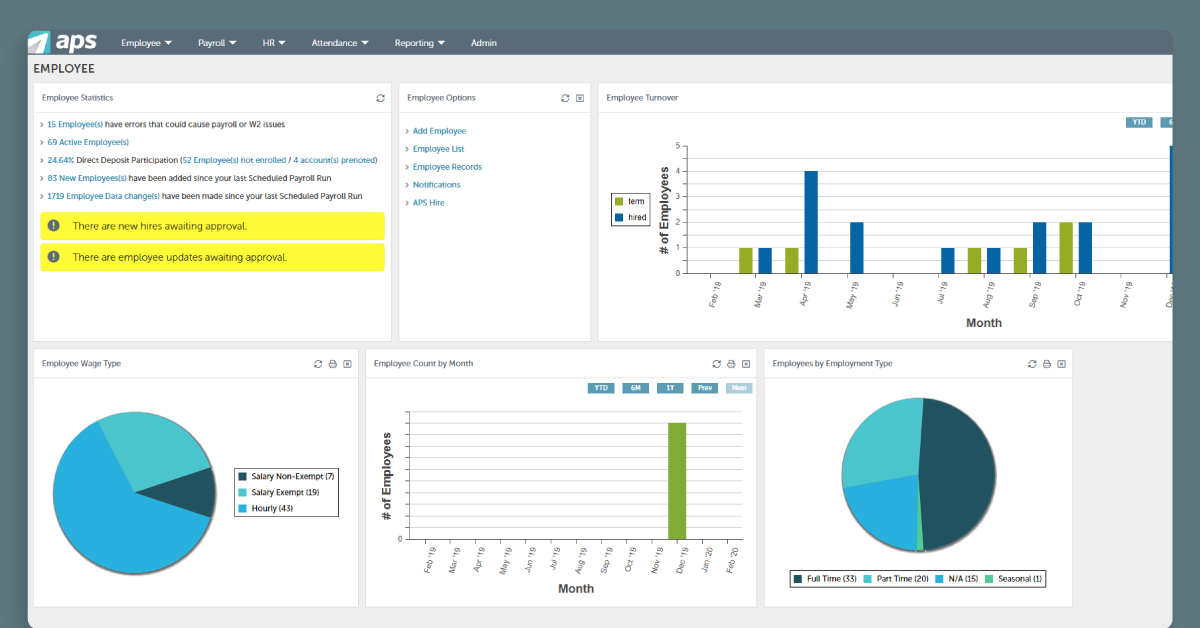
All new-hire information is automatically synced throughout the system, removing the need for
manual input during onboarding. There’s also a data dashboard where you can examine different
aspects of your workforce, including hiring and attendance.
Key Features:
- Payroll processing
- Benefits administration
- Time and attendance tracking
- HR management and reporting
Pricing:
Prices are available upon request.
Pros
- Comprehensive HR management tools
- Employee self-service for payroll features
- Performance management features
- Customizable workflows
- Mobile app available
Cons
- Limited integrations with other platforms
- May not be suitable for larger companies
- Lack of pricing transparency
GoCo – Best HR software for flexible integrations
Best For: Small to medium-sized businesses
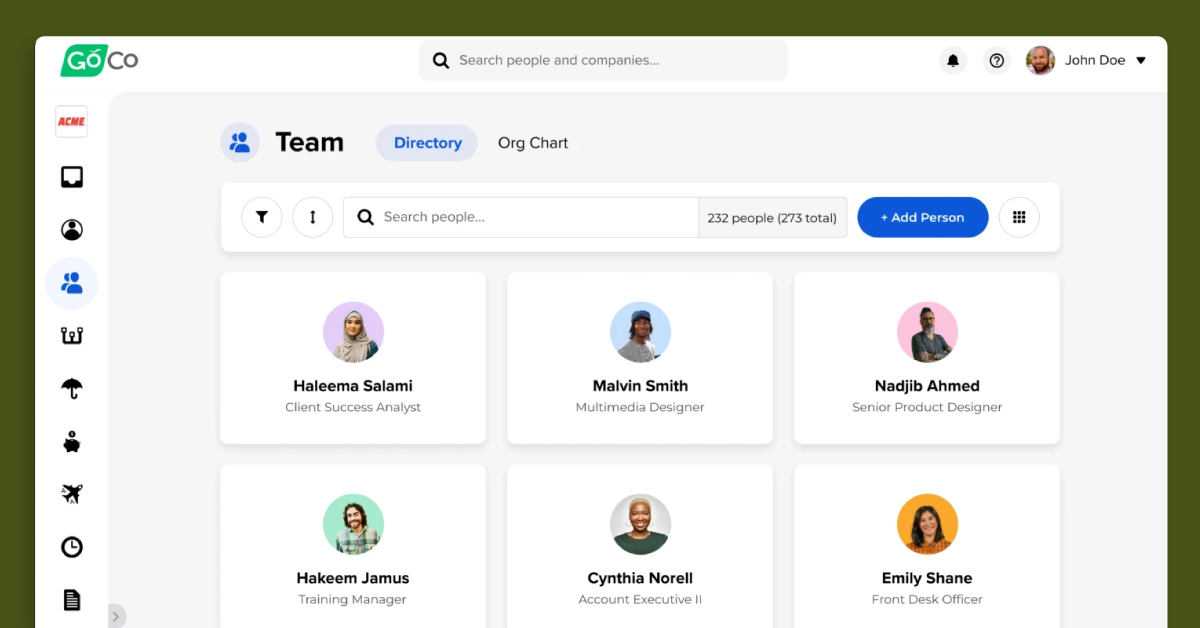
If you’ve already got a lot of embedded HR software but require some additional functionality,
GoCo
is a great option.
What makes GoCo special?
It’s one of the best HR software for small businesses that want to add payroll, onboarding, or
performance management features that will integrate with their existing solutions, such as
QuickBooks, Asana, and Workable. The platform also provides benefits administration,
compliance recordkeeping, and a reporting function that can track staff productivity and
satisfaction.
Key Features:
- Payroll
- Benefits administration
- Document management
- Time tracking
- HR management
- Onboarding
- Compliance management
Pricing:
Quotes available upon request based on the functionality you require Prices start from $5 per
month per person.
Pros
- Comprehensive HR management tools
- Customizable workflows
- Built-in analytics
- Dedicated customer success manager provided to all customers
Cons
- Lack of transparency in pricing
- No inbuilt tools for talent acquisition
- Limited integrations with other platforms
ApplicantStack – Best HR software for combined hiring and onboarding
 width="1200" height="629" />
Best For: Small to medium-sized businesses
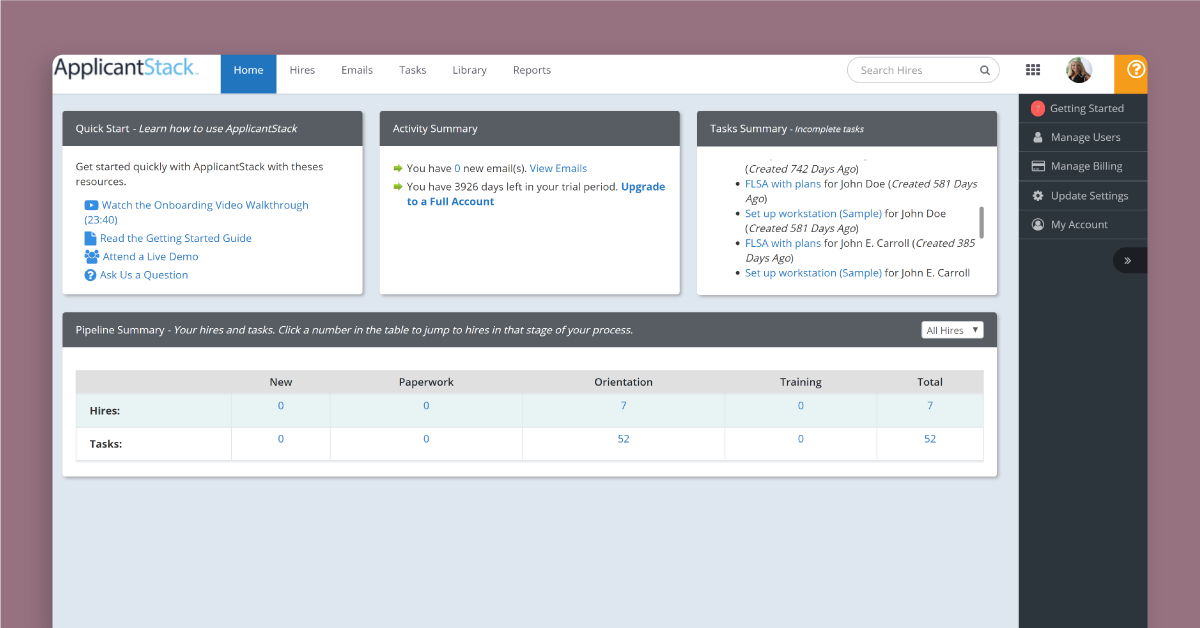
ApplicantStack
makes it simple to post job ads, pre-qualify potential employees, schedule interviews and,
finally, onboard your preferred candidates all on one platform.
What makes ApplicantStack special?
ApplicantStack allows you to reach prospective talent in a quick and efficient manner. Even
before new hires enter the office, get all the paperwork out of the way using the centralized
document platform. Follow this up via the easy-to-use dashboard, which contains new hire
checklists and onboarding task completion tracking.
Key Features:
- Applicant tracking
- Onboarding
- Background checks
- Job posting
Pricing:
The prices for the combined ATS and onboarding solution is $150 per month.
Pros
- Customizable hiring workflows
- Automated candidate tracking
- Mobile app available
Cons
- Limited Core HR functionality
- Limited reporting capabilities
- Limited integrations with other HR platforms
Oyster HR – Best HR software for global compliance
 height="629" />
Best For: Small to medium-sized businesses
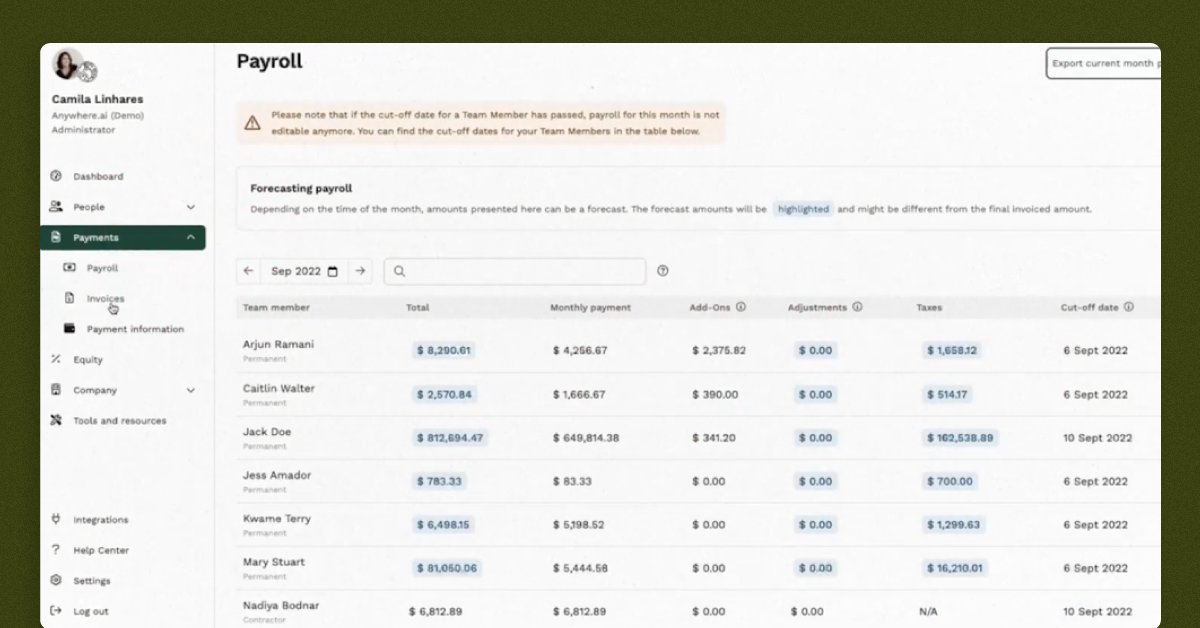
Specializing in global hiring and payroll,
Oyster HR
is an excellent overall solution for remote teams. Drawing upon an extensive knowledge pool,
it covers more than 180+ countries around the world with its platform, which allows you to set
up self-service portals for new staff where they can view and sign any essential onboarding
docs.
What makes Oyster HR special?
One of its USP’s is the virtual assistant, Pearl, which guides users through documentation
requirements for compliance based on local and national regulations. Integrations include
QuickBooks and Xero for payroll, and Greenhouse and BambooHR for ATS.
Key Features:
- Global payroll processing
- Compliance management
- Contractor management
- Access to career development resources
Pricing:
Reach out to the team at Oyster to receive a customised quote.
Pros
- Global hiring compliantly across over 180 countries
- Payroll processing across 120 currencies
- Resources to help new staff including career development resources
Cons
- Lacks core HR functionality
- Lack of transparency in pricing
- Limited integrations with other platforms
Monday.com – Best HR software for work management
 height="629" />
Best For: Small to large-sized businesses
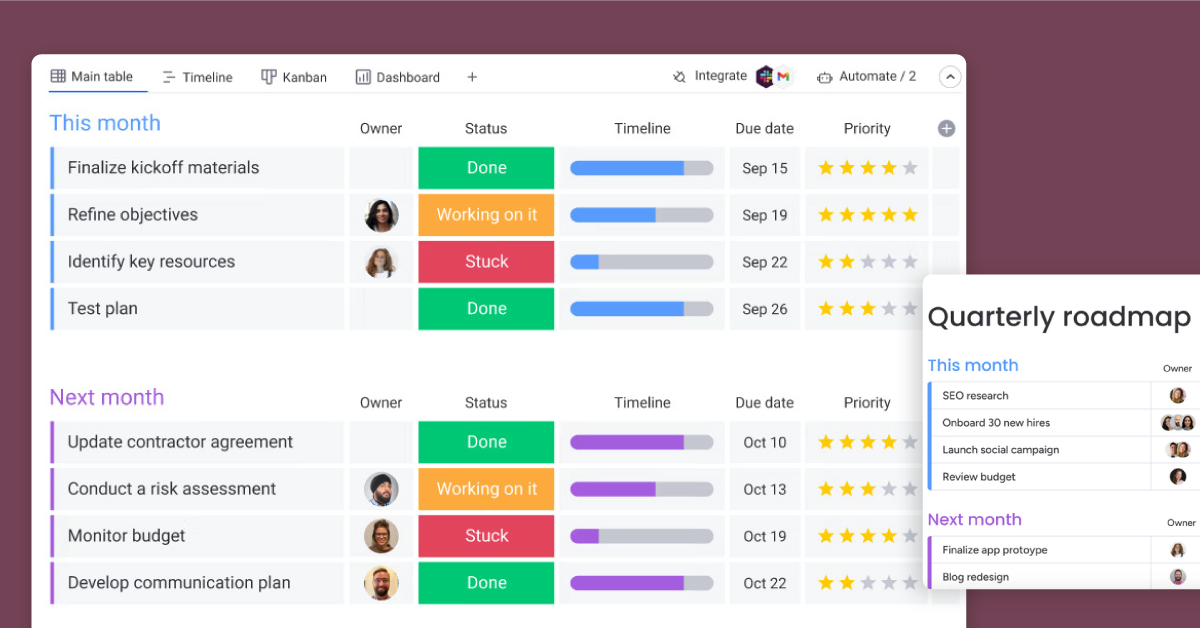
One of the world’s most popular work management tools,
Monday.com
allows you to manage each member of staff’s workload, track progress, and measure
OKRs.
What makes Monday.com special?
Create dedicated boards for specific projects, then assign tasks based on job function and
availability. The program is particularly handy for remote teams since it allows everyone to
stay synced up, no matter where they are based. Monday also includes pre-built templates to
suit a vast range of different workflows.
Key Features:
- Customizable workflows
- Applicant tracker
- Recruitment pipeline
- Leave tracker
- Feedback tracker
- Task management
- Real-time updates
- Integrations with third-party tools
Pricing:
Prices start from $11 per seat per month.
Pros
Flexibly build a range of workflows and databases to meet your HR needs
- Customizable workflows
- Project management tools
- Integrations with other platforms
Cons
- Limited HR-specific functionality
- Requires more set-up work due to the flexibility of the platform
Rippling – Best HR software that includes IT processes
18
alt="Rippling" width="300" height="75" />
 height="629" />
Best For: Small to large-sized businesses
In the running for best HR software for midsize companies,
Rippling
is an all-in-one solution that boasts HR, payroll and IT solutions.
What makes Rippling special?
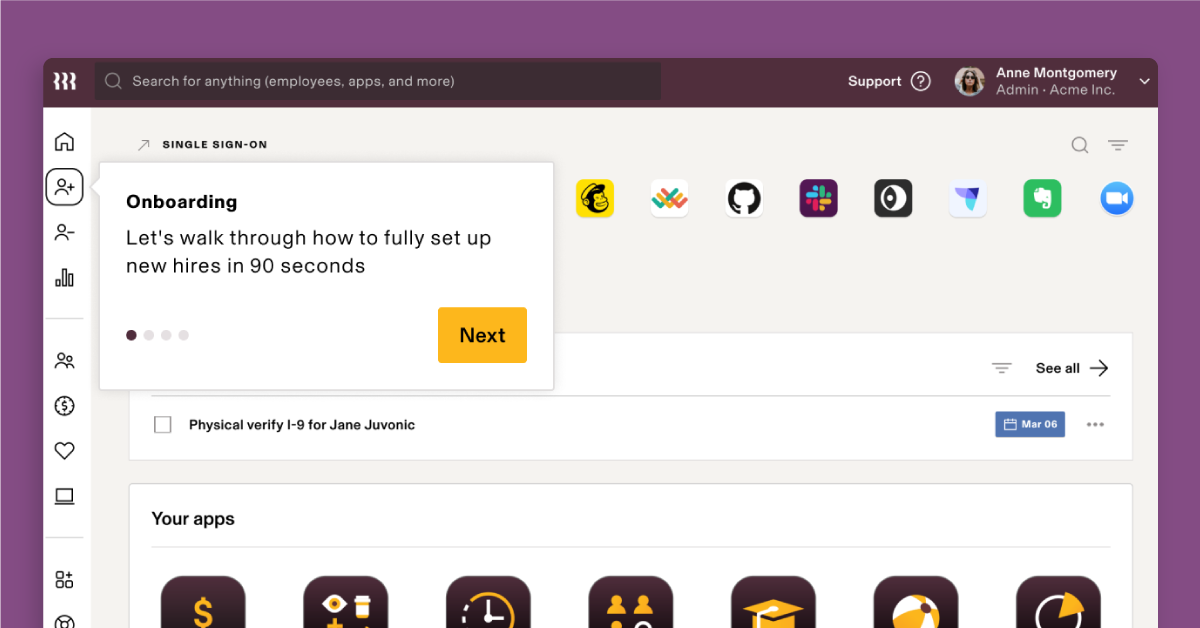
The software’s automation claims to be so good, it can onboard staff across the globe in just
90 seconds using automation. This includes assigning compliance procedures based on location,
enrolling staff in relevant benefits programs, and providing access to core apps (e.g. Slack).
The program can also help you with applicant tracking, payroll processing, and managing pulse
surveys through its simple, clearly laid-out interface.
Key Features:
- Payroll processing
- Benefits administration
- Time and attendance tracking
- HR management
- IT management (app and device assignments)
- Finance management (bills and expenses)
- Compliance management
Pricing:
Prices start from $8 per month per user.
Pros
- Comprehensive HR, Finance and IT management tools
- Includes global payroll processing functionality
- Automates IT access for new and leaving staff
- Customizable workflows
- Built-in analytics
Cons
- Higher pricing than some competitors
- Limited integrations with other platforms
Eddy – Best HR software for easy-to-use core HR
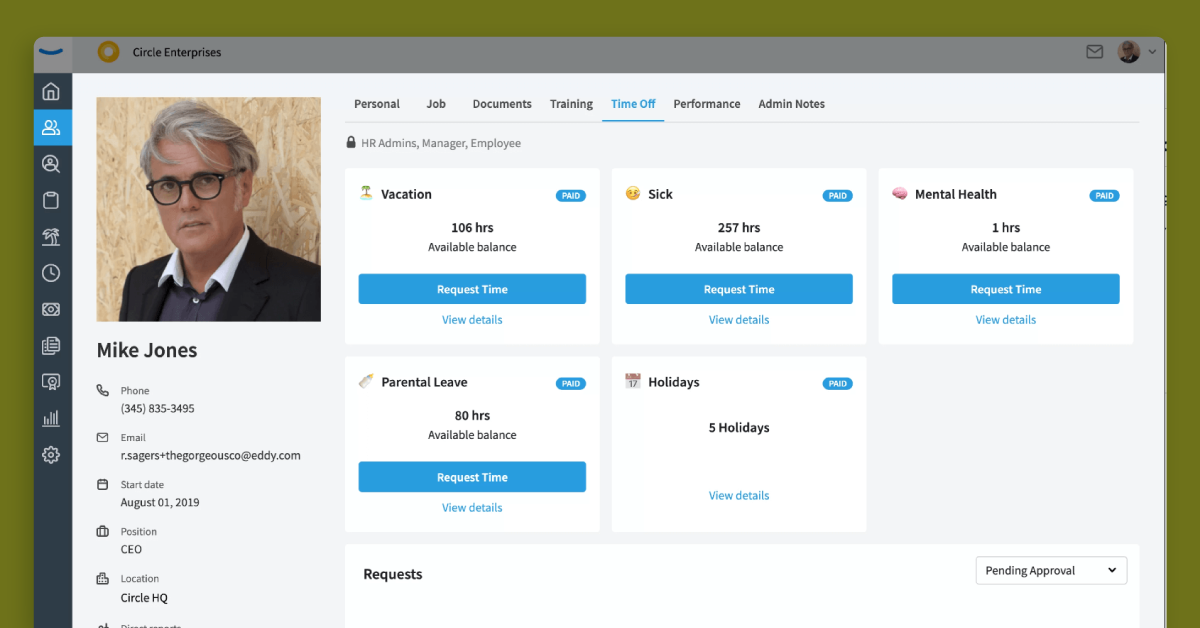
Best For: Small to medium-sized businesses
Eddy lives up to its
friendly-sounding moniker with a very user-friendly interface. You can get all the
documentation and compliance business out of the way before a new hire starts through the
self-service platform, which comes with a trackable task list.
What makes Eddy special?
Eddy also has a full-service payroll solution, which allows you to automate monthly payments
and any tax requirements according to US regulations. Eddy also provides features to
streamline hiring, onboarding, and the documentation of employees.
Key Features:
- Create a job ad in Eddy and post to all job boards with one click
- Automate onboarding processes and tasks for employees
- Store important employee information on a single platform
- Track time, attendance and leave of staff
- Simplified payroll processing
Pricing:
Prices are available upon request.
Pros
- Comprehensive HR management tools
- Simplifies recruitment within platform
- Customizable workflows
- Built-in analytics
Cons
- Limited integrations with other platforms
- May not be suitable for larger companies
- Lacks employee feedback features
- Lack of pricing transparency
Remofirst – Best HR software for US and global payroll
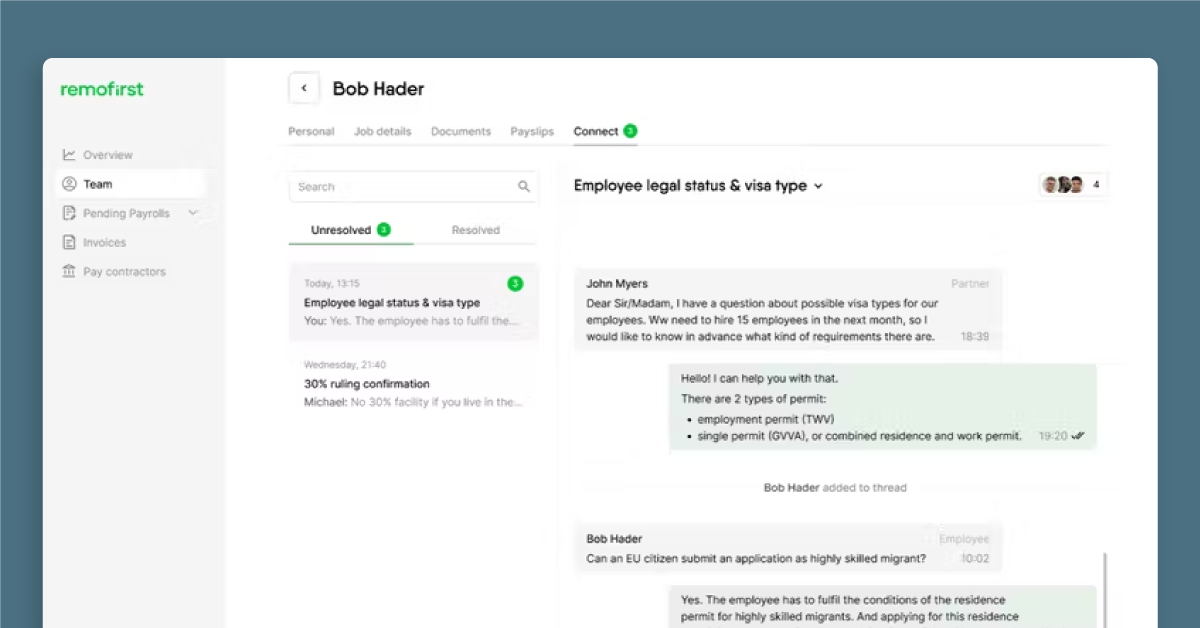 height="629" />
Best For: Small to medium-sized businesses
Designed for companies who want to hire remote workers,
Remofirst
is another option if you want global-facing software for payroll, documentation, and
compliance.
What makes Remofirst special?
The company acts as an Employer of Record for your business, essentially taking a lot of the
hassle of managing a distributed team out of your hands and helping you keep track of employee
costs through a simple interface. Remofirst is active in more than 150 countries, with guides
on their site to help you come to grips with local regulations. If there are any hiccups,
there’s a 24/7 customer service guarantee.
Key Features:
- Source remote candidates in countries where you are not incorporated
- Employee relocation
- Onboarding of new employees
- Compliance management
- Global payroll processing
- Global health insurance offering for employees
Pricing:
Prices start from $199 per person per month.
Pros
- Comprehensive global recruitment tool
- On-demand expertise of local laws and regulations
- 24/7 customer support
Cons
- Limited core HR features
- Higher pricing than some competitors
- Limited integrations with other platforms
Gusto – Best HR software for US-based companies
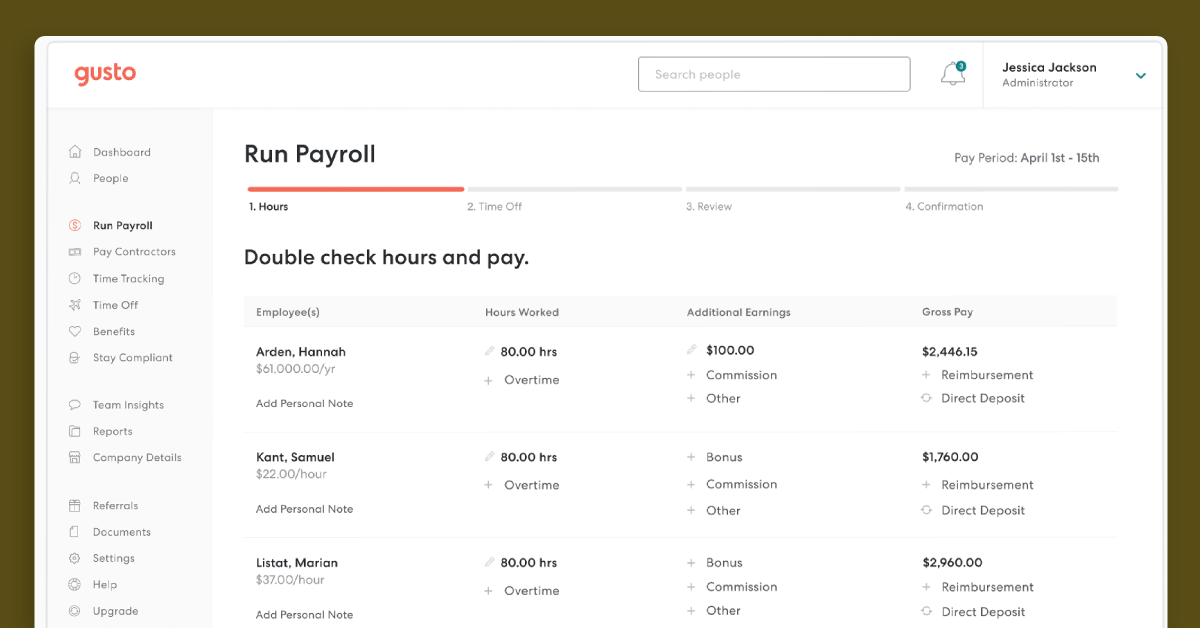 height="629" />
Best For: Small to medium-sized businesses
Gusto is predominantly focused
on payroll and benefits, assisting companies with their local, state, and federal tax filings.
They do also offer talent management features and tools to assist with hiring and onboarding.
What makes Gusto special?
You can also properly monitor time and attendance for remote staff using its mobile time
tracking with a geolocation feature. Other features include performance reviews, data-backed
reports to help you optimize workforce costs, software provisioning, and integrations with
popular ATSs such as JazzHR and Sapling.
Key Features:
- Payroll processing
- Benefits administration
- Compliance management
- HR management
- Time tracking
- Performance management
- Automated hiring and onboading processes
Pricing:
Prices start from $40 per month for the platform, plus $6 per month per person.
Pros
- Core payroll and HR management functionality tools
- Basic hiring and onboarding tools
- Mobile app available
Cons
- Advanced HR tools are only available on higher pricing package
- Higher pricing than some competitors
- Limited customer support
Remote.co – Best HR software for managing remote contractors
height="629" />
Best For: small to large businesses
Remote is a cloud-based HR
software designed for businesses to manage their remote workforce. It specifically caters to
companies that hire remote contractors and provides a range of tools and features to manage
employee records, timesheets, and payroll.
What makes it unique?
Remote work specialists
Remote
take care of all the main aspects of international HR, including payroll, documentation and
compliance. If you principally work with contractors, you can use their platform without
paying a thing. This includes same-day onboarding, automated payment across 150 countries in
several different currencies, secure storage of all contract information and invoice creation
with a single click of the mouse. Remofirst also handles the tricky business of ensuring
compliance when processing your payroll, including bonuses and commissions.
Key Features:
- International Payroll & Invoice Management
- International Benefits Management
- Health insurance
- Bulletproof Compliance
- Application Tracking
- Attendance Tracking
Pricing:
While the contractor service is free, you can also upgrade to their employee of record (EOR)
package for $199 per person per month. For this fee, they will handle all hiring and payment
for full-time employees overseas.
Pros
Remofirst can be an attractive option for small businesses or startups with limited
budgets
- It offers a range of features that cater to this type of workforce
has a user-friendly interface that makes it easy for employers to manage employee
records, timesheets, and payroll
Cons
- Limited features that to manage a remote workforce
Zoho People – Best HR software for value for money
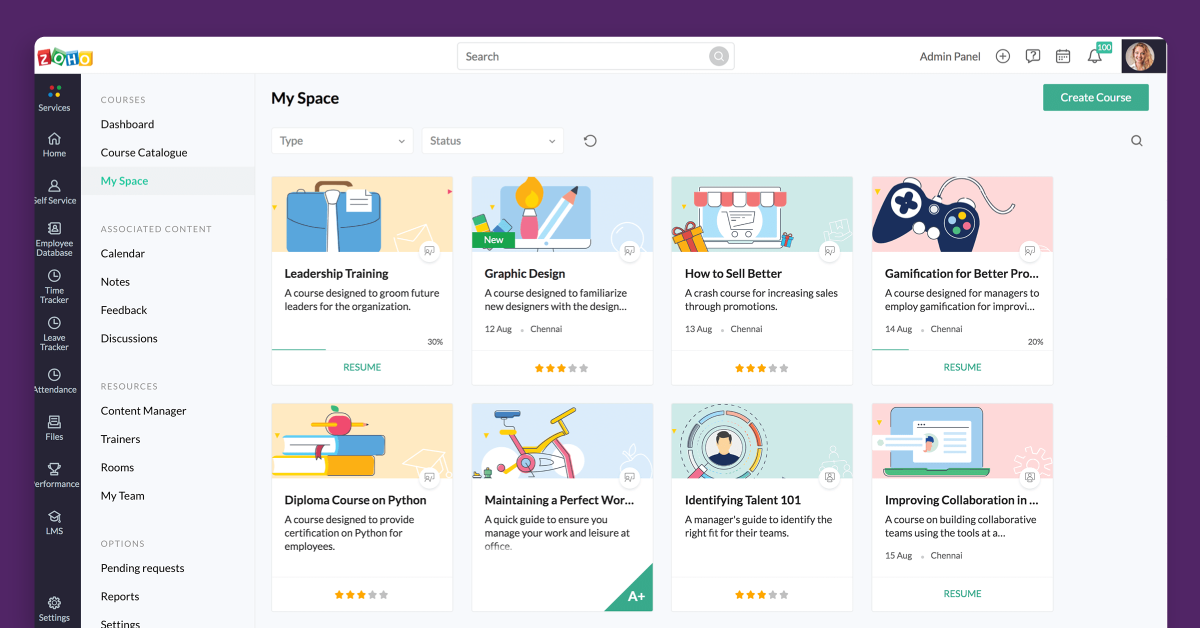 height="629" />
Best For: small, medium, and large companies
Zoho People is a
cloud-based HR management software that helps manage and access all employee data from a
centralized location. It offers a range of features such as recruitment, onboarding, time and
attendance tracking, performance management, and benefits administration.
What makes it unique?
Software company
Zoho
makes a lot of different products, from sales and marketing tools to project management and
analytics programs. As part of their portfolio, they also offer one of the best free HR
software for SMBs on a budget, Zoho People. The complimentary edition can be used for up to 5
staff and offers two main functionalities: employee database management and time off tracking.
Database management includes a secure cloud service to store employee information, as well as
a mobile-friendly interface that allows you to quickly and easily access staff data. Time off
tracking, meanwhile, makes it easier to oversee and approve leave requests, with built-in
insights so you can assess absences.
Key Features:
- Employee self-service
- Leave management
- Timesheets
- Attendance management
- Intuitive Form Builder
- Performance appraisal management
- HR Process Automation
Pricing:
If you want to upgrade to a more comprehensive HR solution, prices for Zoho People start from
$1 per person per month.
Pros
It has a user-friendly interface that makes it easy to navigate and use
- Includes a comprehensive set of features
- It integrates with a variety of third-party tools
Cons
- Limited customization options
- Advanced reporting can be limited
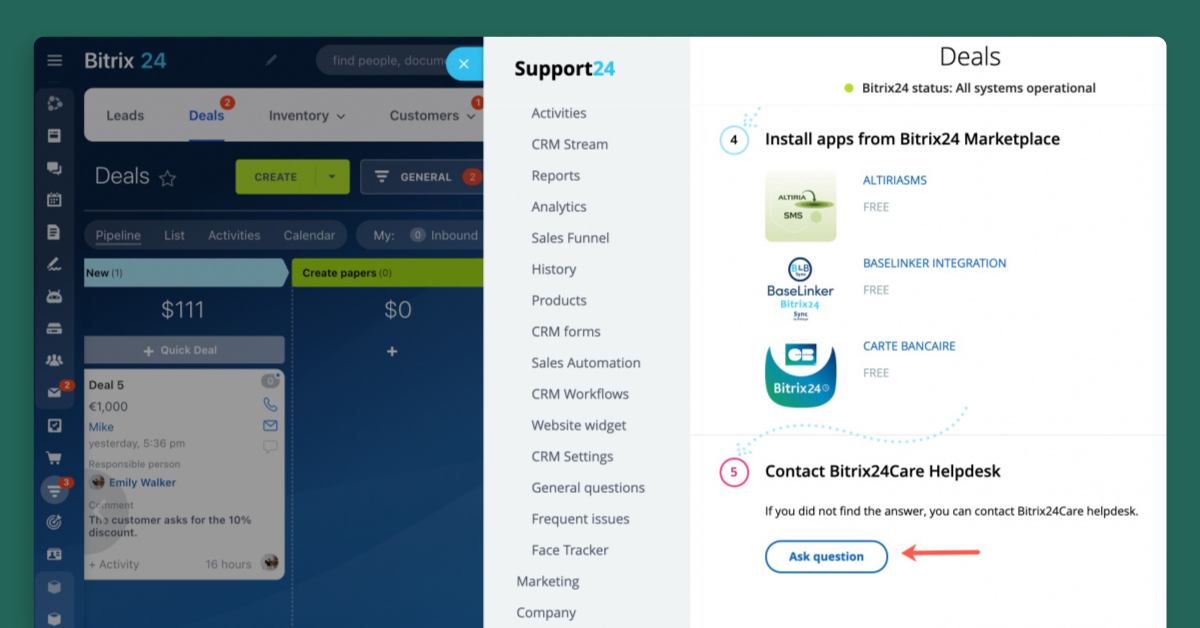
Bitrix 24 – Best HR software for time and attendance
 height="629" />
Best For: small, medium, and large companies
Bitrix24 is a
broad-ranging, open-source solution that includes collaboration tools, task management, CRM
and even a website creator.
What makes it unique?
If you’re looking for something to manage time and attendance, it’s one of the best free HR
software for SMBs on a budget. Beyond that, you can create workflows to manage to leave
requests and oversee recruitment – all of which can be managed via a mobile or desktop device.
Additionally, there’s the option to build a
knowledge base
for your company as well as conduct polls to gauge staff sentiment. Integrations with many
popular programs have been built using open-source code, including with
Xero
and
Mailchimp.
Key Features:
- Account-Based and content-based marketing
- Customer Data Platform (CDP)
- Document management
- Email marketing
- vent management
Pricing:
If Bitrix24’s free version doesn’t have enough features for your company, subscription tiers
start at $49 per month, including as many users as you like. However, the more advanced HR
tools are only offered as part of the most expensive, $199 tier.
Pros
- Ease of access and use
- Simple to integrate with other apps
- Multi-agent contact centre
Cons
- Steep learning curve due to its complexity
- Limited customization options
- The mobile app functionality is limited
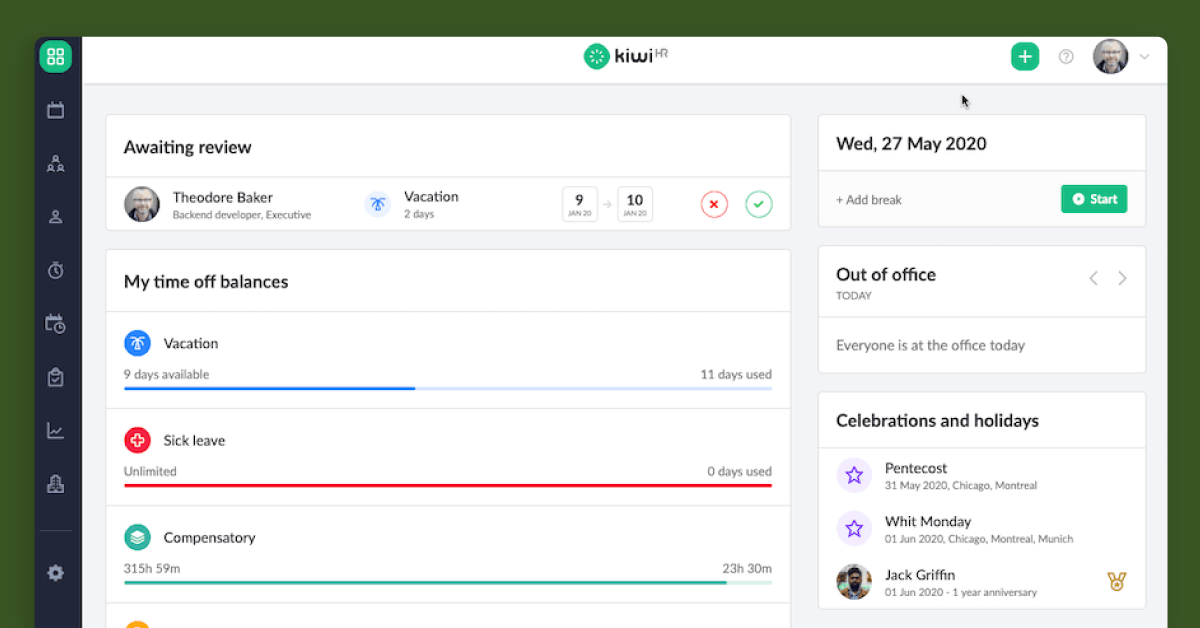
kiwiHR – Best HR software for core HR
 height="629" />
Best For:small and medium-sized companies
KiwiHR is an all-in-one HR
platform for small and medium-sized companies to reduce manual tasks related to HR management.
From time tracking to absence management, it has features that HR departments need to simplify
their processes.
What makes it unique?
Based out of Germany,
KiwiHR
was designed specifically with HR for SMBs front of mind. The solution includes an employee
database, a time and attendance system, onboarding and offboarding functions, payroll
processing and expense management. Through an easy-to-use interface, you can also run reports
on all aspects of your HR, from absenteeism and presenteeism to diversity monitoring. While
Kiwi doesn’t have built-in recruitment, it can be integrated with ATS software like
Softgarden
and
Recruitee.
Key Features:
- Document management
- Workweek customization
- Vacation planners
- Google Calendar and iCal calendar integration
Pricing:
Kiwi HR isn’t free, but it does have a 14-day trial. Prices start from €3.50.
Pros
- Ease of managing employee leaves
- Cot effective for SMEs
Cons
- Complicated user interface
- Limited customization options
FAQ
How do small businesses onboard employees?
Generally, small businesses will have more compact teams and fewer operational complexities.
For this reason, some small businesses manually onboard staff. While this is superficially
cheaper than a software subscription, it is also more time consuming and could end up
costing the company more through lost productivity.
Which is the best HR software for startups?
Startups need to be creative and agile, which is why it’s advisable to look into platforms
that will cover all core HR functions, so your team can focus on the fun stuff. If you’re
not quite sure what capabilities you need, companies like Deel offer employee management
software for small businesses free for up to a certain number of staff.
How do I set up an HR for a small company?
You’ll almost always need at least some human resources people to take charge of hiring,
payroll, benefits, and other employee management areas. However, the best HR software for
small businesses will mean you can set up your HR with fewer people and at less cost.
What tools are more suitable to small businesses?
Small businesses often have different needs and budget constraints compared to larger
enterprises. Although it is dependent on the business’ needs, but core HR functionality
(e.g. employee information, payroll processing, and compliance) will be more pertinent,
while development or culture based features can be done manually.